Custom Session Names
Written By trucorp
Last updated About 2 years ago
If you work with multiple instructor/student groups, you may want to change the default name to help identify different groups when joining.
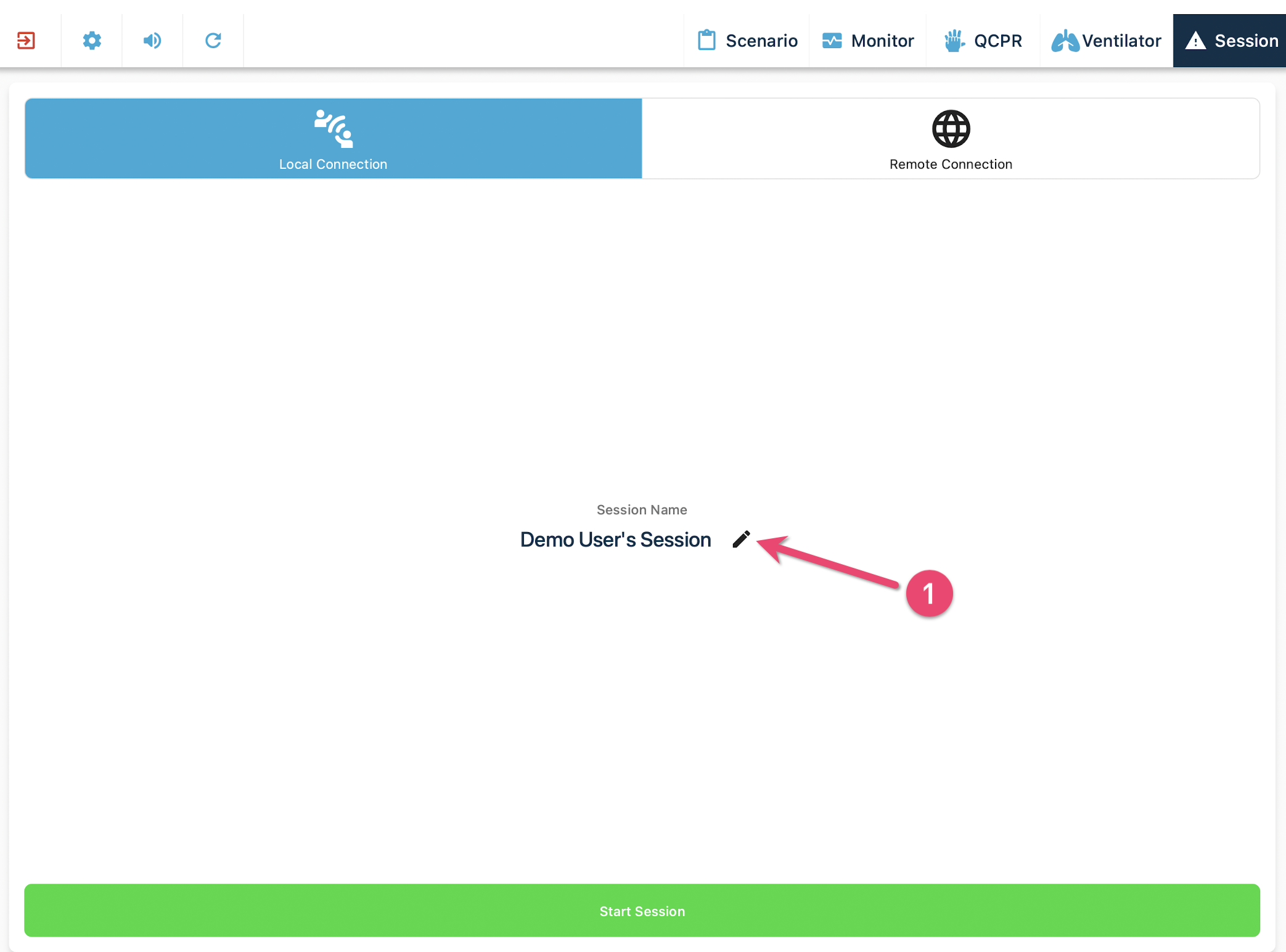
Changing the Instructor Session Name
From the ‘Start Session’ screen, tap the edit icon beside session name.
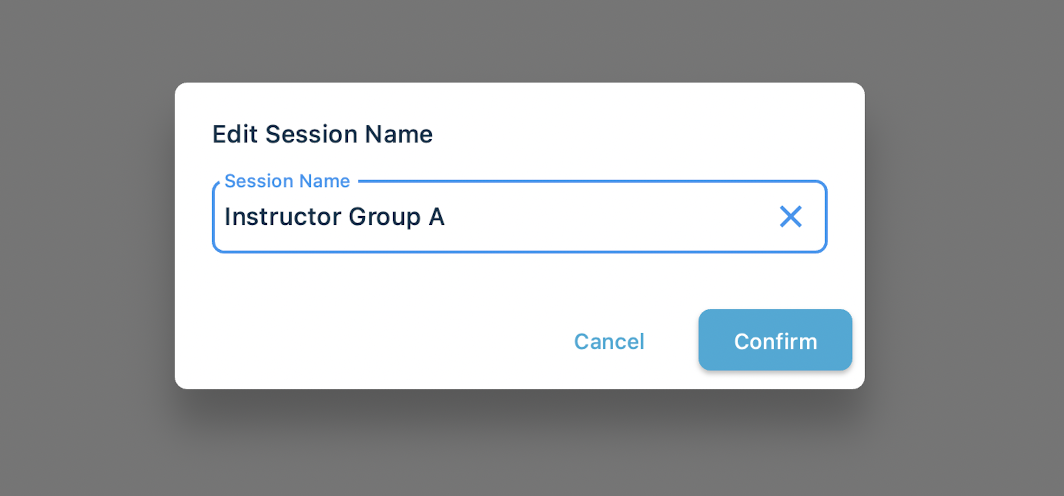
Enter a custom session name and confirm
Start the session as normal
Changing the Student Display Name
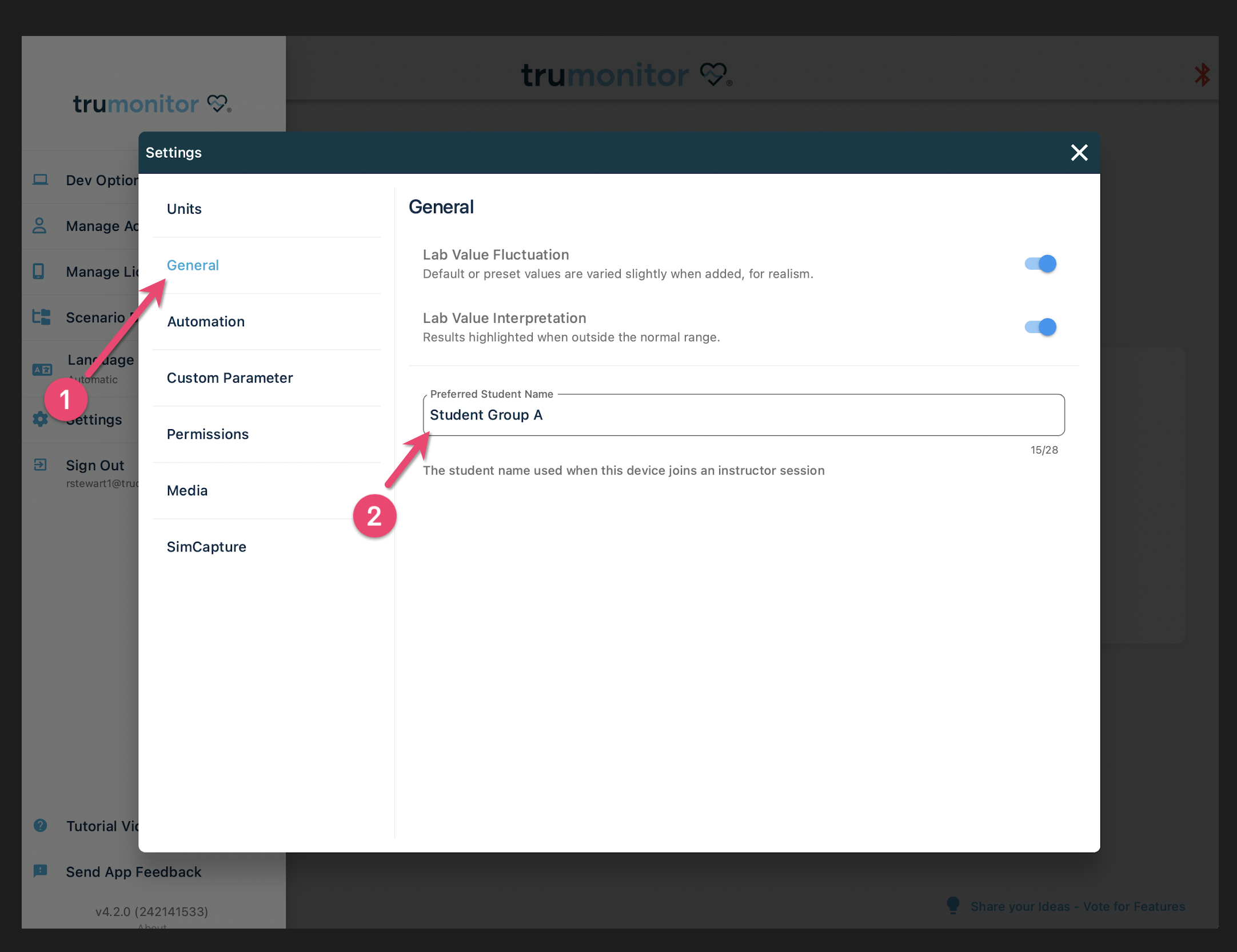
From the home screen, open the side menu and choose ‘Settings’
From the General tab, enter a preferred student name and close the dialog.